Badge Scanning in Python
My wifes team (HR) passes out Christmas Gifts every year to all of their employees. What a great gesture! However, it’s not so great for my wife and her coworkers as they have to manually track employees names on a sheet of paper as they walk up to receive their gift.
A few problems with the current process
- There are thousands of employees and it’s difficult to always remember everyones name on the spot.
- Handwriting names is…tedious.
- It’s SLOW!
We got to talking about the upcoming event for this year and I had mentioned that it would be fairly painless to have someone scan their badge and then automatically update a list that they have picked up and received their gift.
The badge only contians a numeric value and doesn’t actually contain the persons name. However, SiPass does have the option to export a list of Badge Id + Employees Name to csv. Bingo!
Requirements of our script
- Run continuously
- Easy to run
- Good feedback on who scanned their badge
- Defense on accidental keystrokes
Technical decisions
- Read stdin line by line for badge scans
- Utilized openpyxl for reading excel files
- Load and save the file on every scan, safer, and persistent in result of a crash
- Linear scan to find a match, small dataset, and small delay in between scans
- Error handling, continues running despite hitting issues with an invalid Badge Id
- Duplicate Scan handling
- Configuration via
.envfile to avoid hardcoding the Excel filename
Now all we need is a badge scanner and some Python code!
Help Desk came through with the Wave ID Plus Scanner!
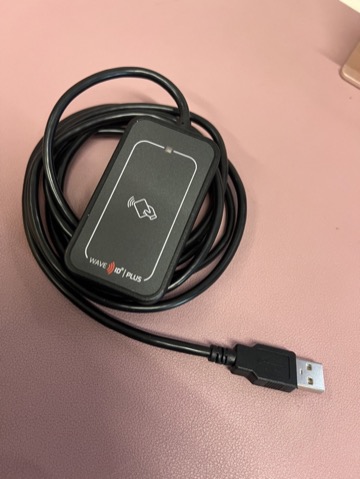
Roughly 100 lines of code, and a half hour later:
1
2
3
4
5
6
7
8
9
10
11
12
13
14
15
16
17
18
19
20
21
22
23
24
25
26
27
28
29
30
31
32
33
34
35
36
37
38
39
40
41
42
43
44
45
46
47
48
49
50
51
52
53
54
55
56
57
58
59
60
61
62
63
64
65
66
67
68
69
70
71
72
73
74
75
76
77
78
79
80
81
82
83
84
85
86
87
88
89
90
91
92
93
94
95
96
97
98
99
100
101
102
103
104
105
106
107
108
109
110
111
112
113
#!/usr/bin/env python3
"""
Badge Scanner Script for Gift Pickup
Monitors badge scans from terminal and updates the Excel file.
"""

import os
import sys
import openpyxl
from datetime import datetime
from dotenv import load_dotenv

load_dotenv()

EXCEL_FILE = os.getenv('EXCEL_FILE', '2025-gift-pickup.xlsx')

def log(message):
    """Print timestamped log message"""
    timestamp = datetime.now().strftime('%Y-%m-%d %H:%M:%S')
    print(f"[{timestamp}] {message}", flush=True)

def update_badge_status(scanned_id):
    """Update the received status for a given badge ID"""
    try:
        # Load the workbook
        wb = openpyxl.load_workbook(EXCEL_FILE)
        ws = wb.active

        # Find the badge ID and update the status
        found = False
        for row_idx, row in enumerate(ws.iter_rows(min_row=2, values_only=False), start=2):
            # Column A is the Badge ID
            badge_id = row[0].value

            # Try to match the badge ID (handle both int and string)
            try:
                if str(badge_id).strip() == str(scanned_id).strip():
                    first_name = row[1].value
                    last_name = row[2].value
                    current_status = row[3].value

                    if current_status and current_status.lower() == 'yes':
                        log(f"⚠️  Badge {scanned_id} ({first_name} {last_name}) already marked as received")
                    else:
                        # Update the Received column (column D, index 3)
                        row[3].value = 'Yes'
                        wb.save(EXCEL_FILE)
                        log(f"✅ SUCCESS: {first_name} {last_name} - Badge {scanned_id} marked as RECEIVED")

                    found = True
                    break
            except (ValueError, AttributeError):
                continue

        if not found:
            log(f"❌ ERROR: Badge {scanned_id} NOT FOUND in the database")

        wb.close()

    except FileNotFoundError:
        log(f"❌ ERROR: Excel file '{EXCEL_FILE}' not found!")
    except Exception as e:
        log(f"❌ ERROR updating badge {scanned_id}: {e}")

def main():
    """Main loop - reads badge IDs from stdin and updates Excel file"""
    print("=" * 70)
    print("🎁 GIFT PICKUP - BADGE SCANNER")
    print("=" * 70)
    log("Badge Scanner Started")
    log(f"Excel file: {EXCEL_FILE}")
    print()
    print("📋 INSTRUCTIONS:")
    print("   1. Keep this terminal window in focus")
    print("   2. Scan badges with your WAVE ID Plus scanner")
    print("   3. The scanner will type the badge ID here")
    print("   4. Press Ctrl+C to stop")
    print()
    print("=" * 70)
    print()
    log("✅ Ready to scan badges!")
    print()

    try:
        # Read from stdin continuously
        for line in sys.stdin:
            badge_id = line.strip()

            # Skip empty lines
            if not badge_id:
                continue

            # Skip if it's not a number
            if not badge_id.isdigit():
                log(f"⚠️  Ignoring non-numeric input: {badge_id}")
                continue

            log(f"📷 Scanned badge: {badge_id}")
            update_badge_status(badge_id)
            print()  # Add blank line for readability

    except KeyboardInterrupt:
        print()
        print("=" * 70)
        log("Badge Scanner Stopped")
        print("=" * 70)
        sys.exit(0)
    except Exception as e:
        log(f"❌ FATAL ERROR: {e}")
        sys.exit(1)

if __name__ == "__main__":
    main()
The good thing about running through stdin is we can have any numeric value in our sheet, and then type it in without having a physical badge to validate the functionality of the code which is what I did!
Project Setup
To keep things self-contained, I used a .env file to store configuration, a requirements.txt for dependencies, and a Makefile to tie it all together.
.env - Configuration without hardcoding values in the script:
1
EXCEL_FILE=2025-gift-pickup.xlsx
requirements.txt - Python dependencies:
1
2
openpyxl>=3.1.0
python-dotenv>=1.0.0
Makefile - One command to rule them all:
1
2
3
4
5
6
7
8
9
10
11
12
13
14
15
16
17
18
19
20
21
22
.PHONY: setup run clean

VENV := .venv
PYTHON := $(VENV)/bin/python
PIP := $(VENV)/bin/pip

# Create virtual environment and install dependencies
setup: $(VENV)/bin/activate

$(VENV)/bin/activate: requirements.txt
	python3 -m venv $(VENV)
	$(PIP) install --upgrade pip
	$(PIP) install -r requirements.txt
	touch $(VENV)/bin/activate

# Run the badge scanner
run: setup
	$(PYTHON) badge_scanner.py

# Clean up virtual environment
clean:
	rm -rf $(VENV)
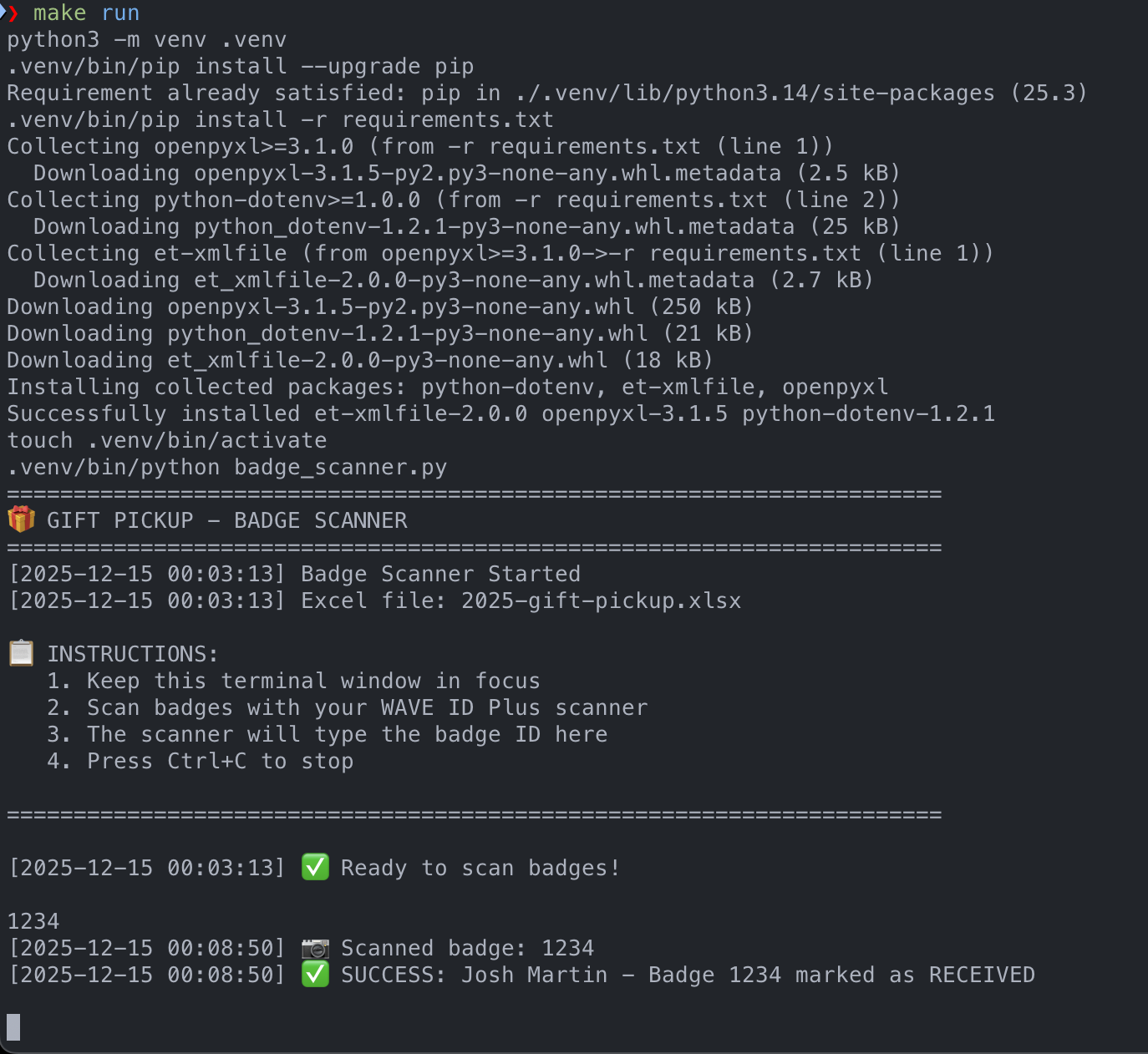
Once the code was finished I was eager to do a quick demo for my wife! As soon as I opened the terminal to run the script my wife put her hand on her head and said “Oh no”. Hilariously I had not considered that firing up the terminal and executing my script was just a few too many steps. The Makefile helps here - just make run handles creating the virtual environment, installing dependencies, and launching the scanner. I created a small shell script pointing to the Makefile and added a shortcut on her desktop! Just a double click and she was off and ready to scan!
1
2
3
4
5
6
7
8
9
10
#!/bin/bash
# Start Badge Scanner

SCRIPT_DIR="$( cd "$( dirname "${BASH_SOURCE[0]}" )" && pwd )"

cd "$SCRIPT_DIR"

echo "Launching Badge Scanner..."
echo ""
make run
Note: No badge ids or names were ever exposed to me or shared externally in any way. This is a completely isolated solution.